Hospital website tracking audit 2026
A 2026 audit found 73% of 59 US hospital websites kept running ad trackers despite opt-out signals. Learn why it matters and how to check your site.
A 2026 audit found 73% of 59 US hospital websites kept running ad trackers despite opt-out signals. Learn why it matters and how to check your site.
Many hospital websites still run advertising trackers even when visitors signal they don't want their data shared.
A 2026 audit of 59 major U.S. hospital and clinic websites found that 73% continued running advertising or marketing trackers despite visitors having Global Privacy Control (GPC) enabled.
These trackers can collect information about the pages people visit, including those related to medical conditions, doctors, and appointments. For healthcare organizations, this raises concerns about patient privacy, trust, and potential legal exposure.
Here's what the research found, why it matters, and how to check whether your own website has similar issues.
A 2026 audit found that 73% of 59 hospital websites continued running advertising trackers despite visitors' opt-out signals.
Tracking pixels can collect information about the healthcare pages visitors view, potentially exposing sensitive details.
Rutgers research found an association between third-party tracking pixels and a higher likelihood of data breaches.
Hospitals should regularly review their tracking tools and test whether their websites respect visitors' privacy choices.
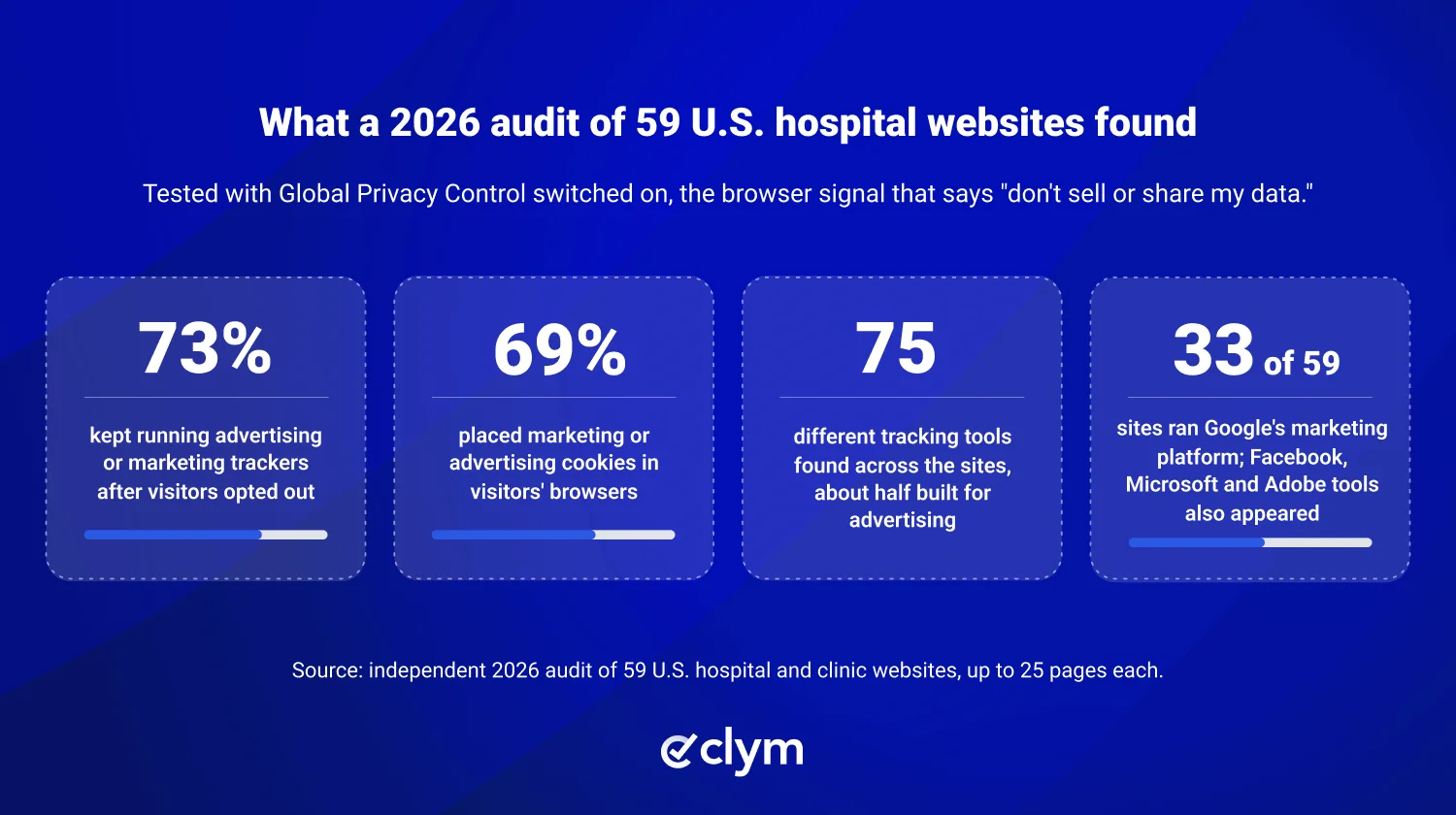
Researchers examined up to 25 pages on 59 major U.S. hospital and clinic websites to see whether advertising trackers kept running despite visitors' opt-out signals.
The test used Global Privacy Control (GPC), a browser signal that tells websites a visitor does not want their personal information sold or shared.
Here's what they found:
Finding | Result |
|---|---|
Websites running advertising or marketing trackers | 73% |
Websites placing marketing or advertising cookies | 69% |
Different tracking tools identified | 75 |
Websites using Google's marketing platform | 33 of 59 |
The audit identified which tracking tools were active, but it did not determine whether patients' health information was shared.
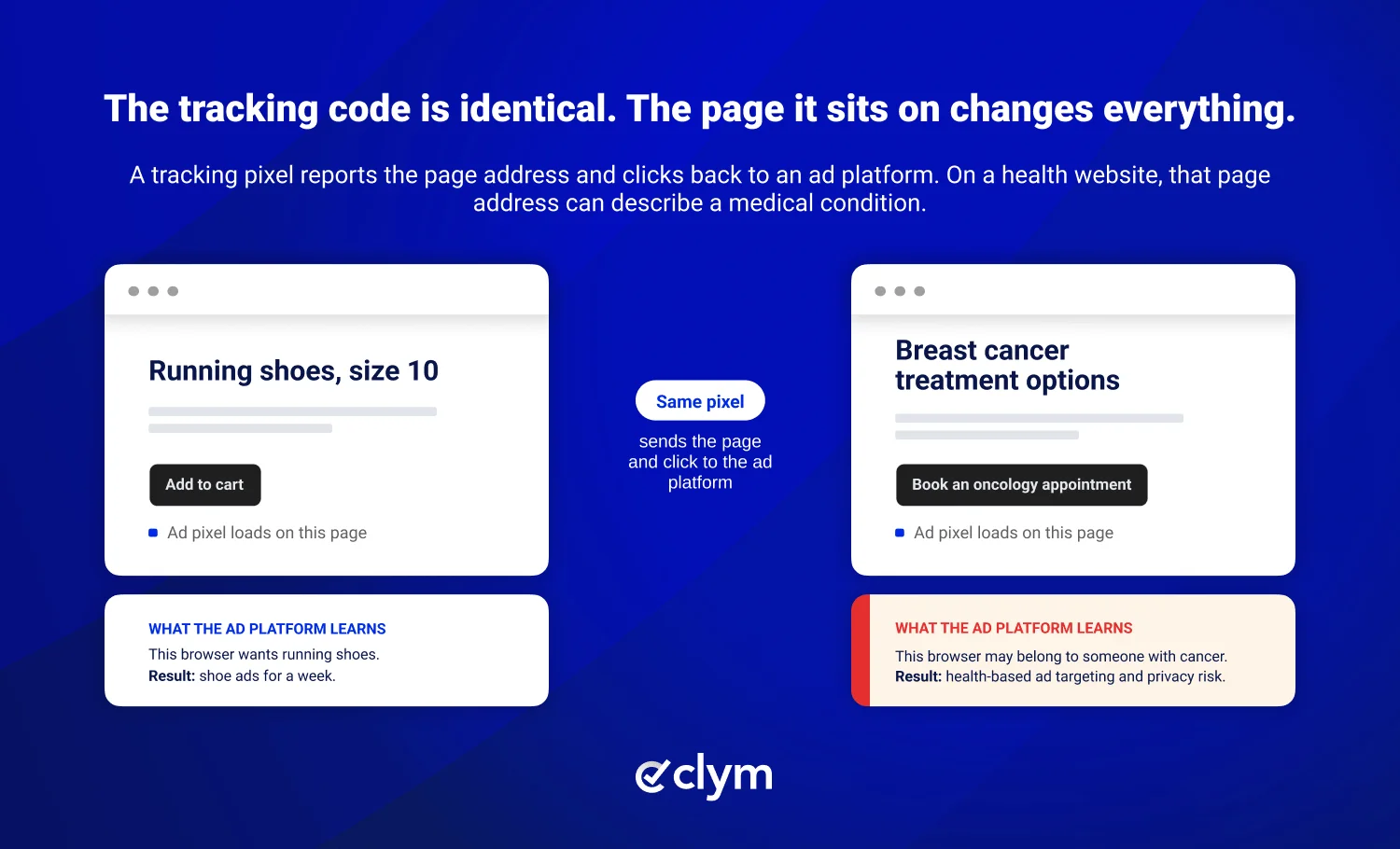
A tracking pixel is a small piece of code that helps website owners understand how visitors interact with their site.
Depending on how it's configured, it can collect information such as which pages someone visits, which buttons they click, and what device they're using. This information may be shared with advertising or analytics platforms.
On a shoe store website | On a hospital website | |
|---|---|---|
Page visited | Running shoes, size 10 | Breast cancer treatment options |
Button clicked | "Add to cart" | "Book an appointment with oncology" |
What an ad platform can infer | This browser wants running shoes | This visitor may be interested in cancer treatment |
The technology works the same way on both websites. The difference is that visiting a hospital page can reveal much more sensitive information.
Tracking pixels aren't new to healthcare websites, and concerns about the information they collect have been growing for years.
Research highlights the potential risks:
2022: The Markup found that Meta's tracking pixel sent appointment information to Facebook on 33 of the top 100 U.S. hospital websites.
2026: Rutgers researchers found that hospitals using third-party tracking pixels were 46% more likely to experience a data breach.
Both studies highlight why healthcare organizations should understand what information their tracking tools collect and where that information goes.
HIPAA protects certain types of patient health information and restricts how healthcare organizations can use or share it.
For hospital websites, the concern is that tracking tools may collect information connected to a patient's health, appointments, or treatment. Whether HIPAA protects that information depends on the circumstances.
Some website activities deserve particular attention:
Patient portals: Tracking tools may access information connected to an identifiable patient.
Appointment pages: Trackers could collect details about appointments, treatments, or healthcare providers.
Public healthcare pages: Tracking visitors on pages about medical conditions can also raise privacy concerns, although HIPAA's application depends on the circumstances.
In 2024, a federal court in Texas limited part of the federal government's guidance on tracking technologies used on public healthcare websites. For more on that decision, see our breakdown of the Texas court ruling.
A cookie banner is not a substitute for HIPAA authorization. When HIPAA requires patient authorization to share health information, a standard cookie consent banner doesn't meet those requirements. Our guide explains why HIPAA authorization requires more than a cookie banner.
Hospital websites often use tracking tools installed years earlier for advertising campaigns, analytics, or other marketing activities. Over time, these tools can remain active without anyone reviewing whether they're still needed.
Three common reasons include:
Outdated tracking code: Pixels from past marketing campaigns remain active long after those campaigns end.
Multiple teams and vendors: Marketing agencies, IT teams, and external partners may install tracking tools without a shared overview.
Website-wide installations: Trackers added to a site's main template can automatically appear on sensitive pages, including appointment forms.
Without regular reviews, hospitals may not have a complete picture of which tools are running or what information they collect.
A cookie banner doesn't automatically stop tracking. You must configure it to control which tools can run based on each visitor's privacy choices.
Several problems can prevent that from happening:
Trackers load too early. Some tools start collecting information before visitors can make a choice.
The banner isn't connected to the tracking tools. Clicking "Reject" may not stop scripts that aren't configured to respond.
Browser privacy signals are ignored. Websites may fail to recognize Global Privacy Control requests.
New trackers aren't reviewed. Marketing teams may introduce additional tools without updating consent settings.
Some tracking technologies also work without cookies, so blocking cookies alone may not stop all data collection.
Healthcare organizations should regularly test whether their websites respect visitors' privacy choices, rather than relying on the presence of a cookie banner. Understanding how Global Privacy Control works is another important part of managing website tracking.
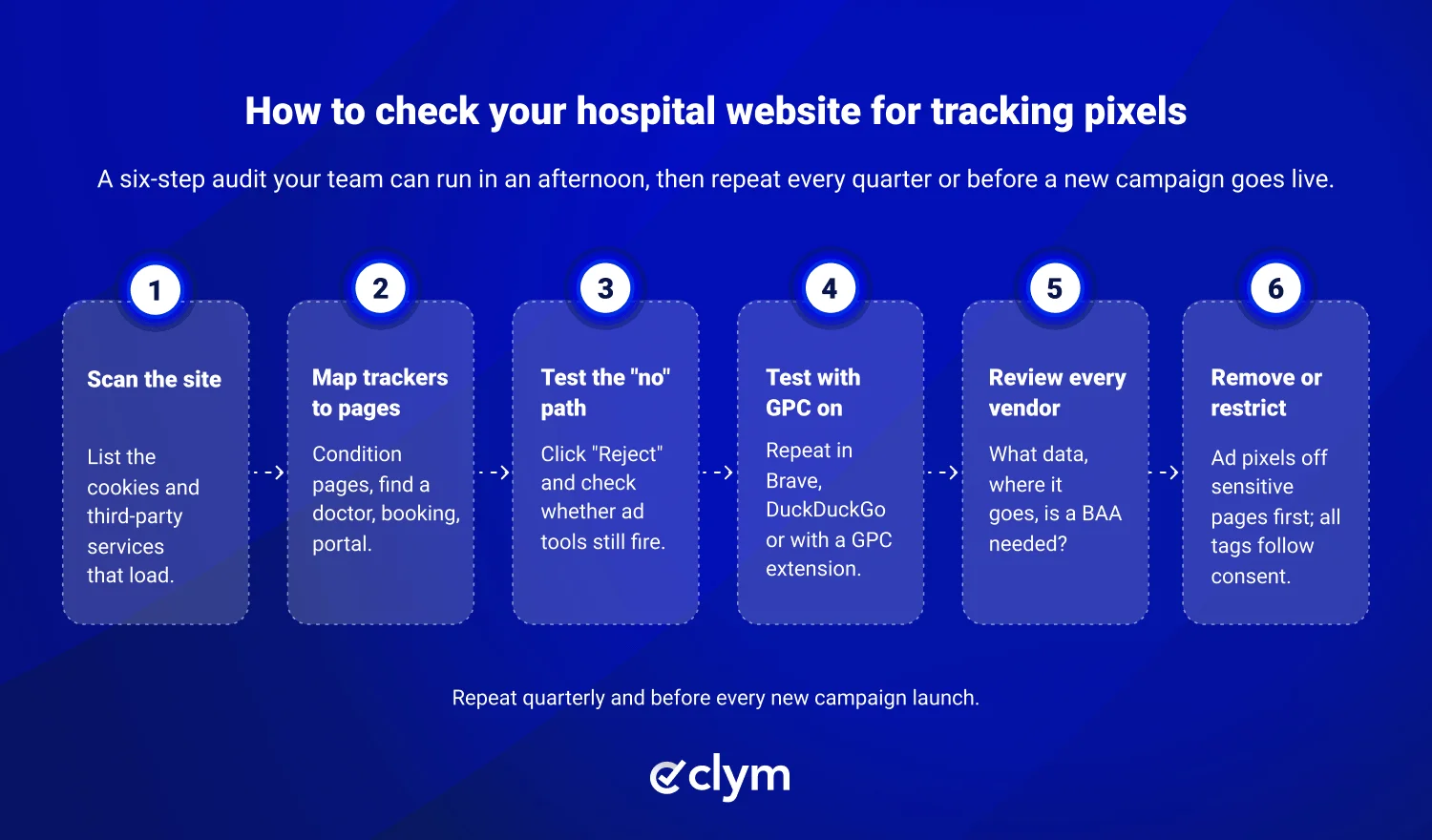
Not sure which tracking tools are running on your website? These six steps can help you identify potential problems.
Scan your website. Use a website scanner to identify cookies and third-party tracking tools.
Check sensitive pages. Review pages related to medical conditions, doctors, appointments, and patient portals to see which tools are active.
Test your cookie banner. Reject cookies and check whether advertising trackers continue running.
Test browser opt-out signals. Enable Global Privacy Control and check whether your website responds to the request.
Review your tracking vendors. Identify which companies receive visitor information and whether those tools are necessary.
Remove unnecessary trackers. Remove or restrict tools you don't need, especially on pages with sensitive healthcare information.
A website scan can help identify active tracking tools, but you'll also need to test whether they stop running when visitors opt out. Regular reviews can help prevent outdated or unnecessary tracking tools from remaining active. Our HIPAA website compliance guide covers additional considerations for healthcare organizations.
Managing website tracking can be challenging when marketing, IT, and compliance teams use different tools and processes. Clym brings these activities together, making it easier to identify tracking technologies, manage consent, and support your privacy compliance efforts.
Clym helps healthcare organizations:
Identify tracking technologies through website scanning and detection of third-party services.
Manage cookie consent and control tracking tools based on visitors' preferences.
Recognize Global Privacy Control signals and apply the appropriate opt-out settings.
Manage HIPAA authorization requests when additional patient permission is required.
Keep privacy settings and policies updated as regulations change.
These tools help marketing, IT, and compliance teams work together to identify potential risks and manage website tracking.
Hospital websites often contain tracking tools that collect more information than organizations realize. As the 2026 audit demonstrates, even visitors who opt out may still be tracked.
Knowing which tools are active, understanding what information they collect, and regularly testing your privacy controls can help reduce unnecessary tracking and protect patient information.
Not necessarily. Tracking pixels can raise HIPAA concerns if they collect or share protected health information without a valid legal basis. Hospitals should review which tools they use, what information those tools collect, and whether they need additional safeguards or patient authorization.
Hospitals can use website analytics, but not every analytics tool or configuration is appropriate for handling patient information. Tools such as Google Analytics and the Meta Pixel require special care on pages that contain sensitive patient information. Healthcare organizations should evaluate each tool before using it.
Global Privacy Control sends a signal asking websites not to sell or share personal information. However, it doesn't automatically block tracking technologies. Websites must be configured to recognize and respond to the signal.
Start with a website scan to identify cookies and third-party tracking tools. Then review sensitive pages and test whether trackers continue running after visitors decline cookies or enable Global Privacy Control.

Mircea is the Chief Operating Officer at Clym, where he leads operations and product strategy to help businesses navigate global data privacy, web accessibility, and transparency and accountability requirements. With a background spanning information security, technology, compliance, and business development, Mircea plays a key role in shaping Clym’s vision and guiding its expansion into new markets. When he’s not coordinating teams or refining product workflows, he is either walking somewhere, reading, sailing or learning about the latest tech innovations.